Data Security Community

 View Only
Expand all | Collapse all

How to create custom query report

  • 1.  How to create custom query report

    Posted 10-06-2026 08:02

    Dear All,

    We would like to create a custom query report for UPDATE, DELETE, and TRUNCATE operations only.

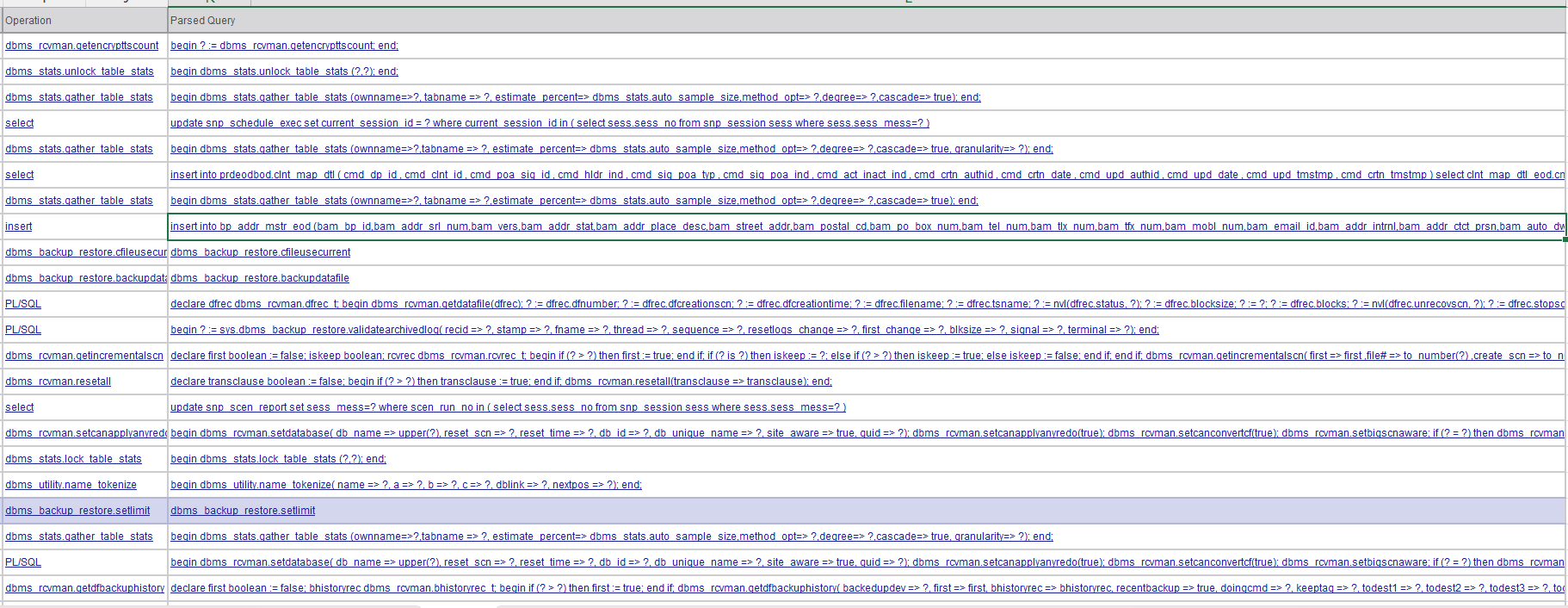
    However, while creating the policy, we observed that the TRUNCATE operation falls under DDL commands, whereas UPDATE and DELETE fall under DML commands. We have created two separate policies accordingly, but these policies also capture many other DDL and DML operations that are not required.

    Our requirement is to exclude all other operations and create a single policy that generates output only for UPDATE, DELETE, and TRUNCATE operations.

    Please let us know if this can be achieved and provide the recommended configuration steps.


    #DatabaseActivityMonitoring

    ------------------------------
    Suhas Bandre
    Admin
    Softcell Technologies Global Private Limited
    Bengaluru
    ------------------------------


  • 2.  RE: How to create custom query report

    Posted 10-07-2026 13:29

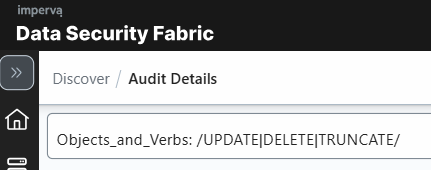
    You can add this custom regex search to accomplish your report goals :


    ------------------------------
    Rodrigo BISBAL
    Product Support Engineer
    ------------------------------


  • 3.  RE: How to create custom query report

    Posted 10-09-2026 02:14

    Hi Rodrigo,

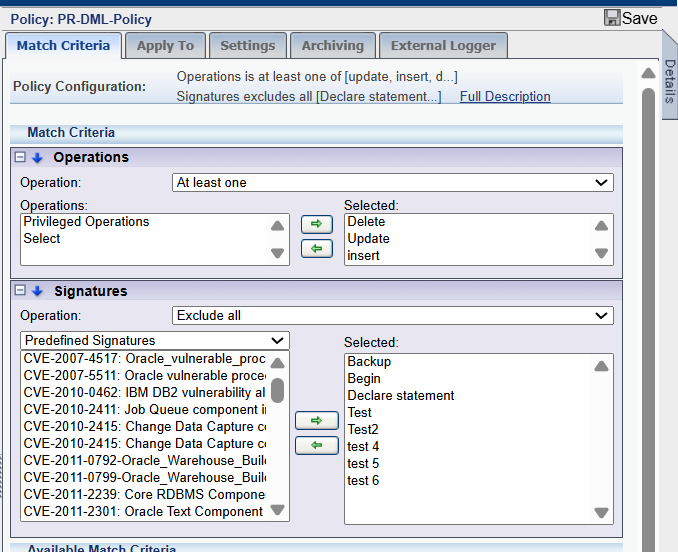
    We have an MX console where we have created an audit policy. However, even after following the below article and adding the signature, it is not working as expected, and the unwanted query results are still being displayed.

    The article demonstrates exclusion for simple queries only and does not cover complex queries. We have tried multiple signature patterns, but none of them produced the desired result.

    Since there are several complex queries that also need to be excluded, could you please suggest the best approach to exclude such queries from the audit results?

    http://community-cybersec.thalesgroup.com/HigherLogic/System/DownloadDocumentFile.ashx?DocumentFileKey=564f3095-d1da-4cf2-8891-01981d7be239&forceDialog=0

    How to Exclude Certain from Auditing [14a075a15]


    ------------------------------
    Suhas Bandre
    Admin
    Softcell Technologies Global Private Limited
    Bengaluru
    ------------------------------


  • 4.  RE: How to create custom query report

    Posted 10-09-2026 03:58

    Hi Suhas,

    It is expected to see DECLARE and BEGIN statements being captured, as they are part of functions, procedures, or views. The underlying DML operations executed within these objects are the actual reason the corresponding SQL statements are being logged.

    Please update the policy as outlined below and verify whether it produces the expected results:

    1. Navigate to Global Objects → General Dictionary Group.
    2. Create a new dictionary group containing the required commands.
    1. In the policy, add the following match criteria:
      • General Dictionary → Select the dictionary group created above.
      • Location: Parsed Query

    I hope this helps. If the issue persists after applying the above configuration, please share the results for further analysis.


    ------------------------------
    Bhuvan Shyam M
    Karnataka Bank
    Bengaluru
    ------------------------------