Hi Ira,
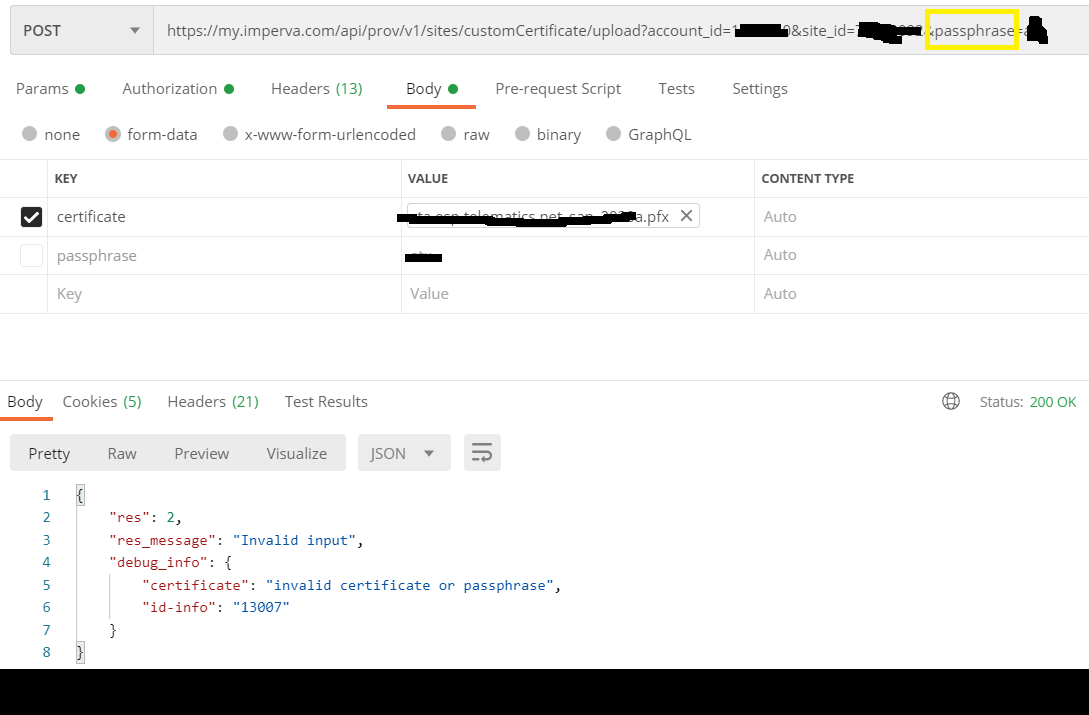
I'm on a similar situation as Nikhil, (Postman also) , using PFX for the certificate file, since the key is embedded, I considered I need the passphrase (same as I do on the WEBUI), but it doesn't seem to help either entering the passphrase as parameter or as part of the form body.
Is PFX/Passphrase actually accepted via API? what could I be missing?
Passphrase in body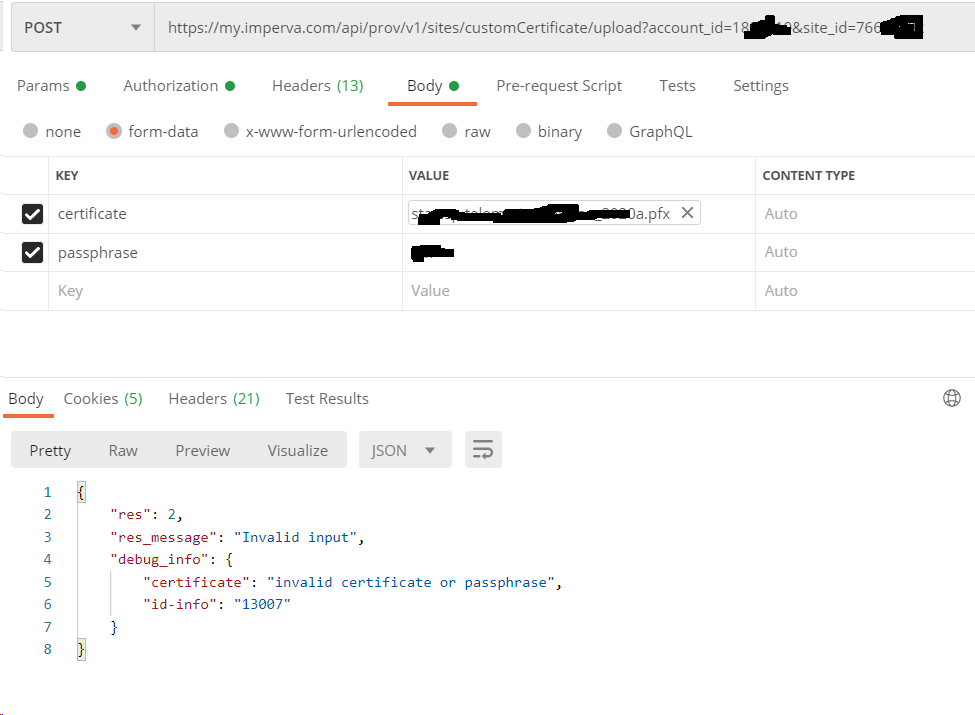 Passphrase in Parameters
------------------------------
Galileo Shell - Alvaro
Technical User
------------------------------
Original Message:
Sent: 01-25-2021 03:50
From: Ira Miga
Subject: Automate Certificate Management on Imperva Waf
Hi @Nikhil Chodankar,
Just use "certificate" and "private_key" as the key name in parameters.
In the Post request, you don't need to put them too.
See the example here:
 Best,
------------------------------
Ira Miga
Imperva
Knowledge Engineer
------------------------------
Original Message:
Sent: 01-24-2021 20:48
From: Nikhil Chodankar
Subject: Automate Certificate Management on Imperva Waf
HI @Ira Miga
I am trying like this

And getting below output

Am i doing it correctly?
------------------------------
Nikhil Chodankar
Prudential Services Asia
Original Message:
Sent: 01-24-2021 05:20
From: Ira Miga
Subject: Automate Certificate Management on Imperva Waf
@Nikhil Chodankar, this was for CA certificate, but if you need to upload a custom certificate, just use:
--cert <cert file> - Includes the client certificate in the request.
--key <key file> - Includes the client certificate private key in the request.
------------------------------
Ira Miga
Imperva
Knowledge Engineer
Original Message:
Sent: 01-24-2021 05:15
From: Ira Miga
Subject: Automate Certificate Management on Imperva Waf
Hi @Nikhil Chodankar,
The above is script.
If you would like to use Postman, here's what you need to do:
Example: curl -X POST 'https://api.imperva.com/certificate-manager/v2/accounts/XXXXX/client-certificates?api_id=XXXXX&api_key=XXXXXX' -H 'Content-Type: multipart/form-data' -F 'ca_file=@example.ca'
The curl command must be executed from the same directory, where the CA certificate is located. Please make sure to add "@" before the CA file name.
Postman example:
It is recommended that the CA file contain only one certificate.
Hope this helps,
Best,
------------------------------
Ira Miga
Imperva
Knowledge Engineer
Original Message:
Sent: 01-20-2021 23:58
From: Nikhil Chodankar
Subject: Automate Certificate Management on Imperva Waf
HI @Ira Miga
I am trying to automate the uploading of custom certificates in Incapsula for few sites as well. I was referring to the API documentation and i didnt understand the below part
#!/bin/shCERT_B64=`base64 -i a.crt`KEY_B64=`base64 -i a.key`curl -d api_id=12345 -d api_key=48d69342-eaec-44cf-8a5c-56c4ff1cd5e8 -d site_id=14081980 \ -d certificate="$CERT_B64" -d private_key="$KEY_B64" -d passphrase=12345678 \ https://my.imperva.com/api/prov/v1/sites/customCertificate/upload
How can i provide certificate and key files which is stored on my laptop in my postman call?
------------------------------
Nikhil Chodankar
Prudential Services Asia
Original Message:
Sent: 07-06-2020 09:16
From: Ira Miga
Subject: Automate Certificate Management on Imperva Waf
Hi Surya,
Since you are looking for lots of different operations, I will send you the links where you can find those instead of specific commands.
For Cloud WAF it's https://my.imperva.com/api/docs/v1/
Or Certificate manager for client certificates: https://docs.imperva.com/bundle/cloud-application-security/page/certificate-api.htm
For On-Prem the details can be found here for the latest version:
https://docs.imperva.com/bundle/v14.2-api-reference-guide/
Some of the options you are looking for do not exist as an API command and cannot be automated yet.
If there's a need for this commands to be available with API, please submit FR on our website.
Thanks,
------------------------------
Ira Miga
Imperva
Knowledge Engineer